_HighPerformer_HighPerformer%201.png)

_MomentumLeader_Leader%202.png)
Mobile device management for schools enables institutions to centrally manage, secure, and monitor devices used for teaching and learning. As device environments expand across operating systems and device types, modern MDM education platforms must go beyond basic enrollment and policy enforcement.
Swif.ai is an MDM platform designed to unify education device management, security controls, and compliance workflows in one system. Instead of stitching together multiple tools, school IT teams use a single platform to manage devices consistently across campuses, classrooms, and remote learners.
This unified approach reduces operational complexity, improves security posture, and supports long-term scalability — whether you are a single-campus school or a multi-site district.
Schools today rely on a growing mix of tablets, laptops, desktops, and mobile devices. Managing these environments with fragmented tooling leads to inconsistent policies, slow response times, and limited visibility.
Swif.ai delivers MDM solutions for schools that help IT teams:

Unified endpoint management brings all endpoints under one operational model. Swif.ai enables this by using a single MDM platform to manage devices across operating systems with consistent policies, controls, and compliance workflows.










Unified endpoint management brings all school endpoints under one operational model. Swif.ai enables this by using a single MDM platform to manage devices across operating systems with consistent policies, controls, and compliance workflows.
Institutions using Swif.ai for education device management typically achieve:
onboard entire classrooms of devices in hours, not weeks
onboard entire classrooms of devices in hours, not weeks
onboard entire classrooms of devices in hours, not weeks
including Shadow IT activity you didn't know existed
self-service app portal, remote support, and automated patching reduce ticket volume
Swif.ai is used as MDM software for education by:




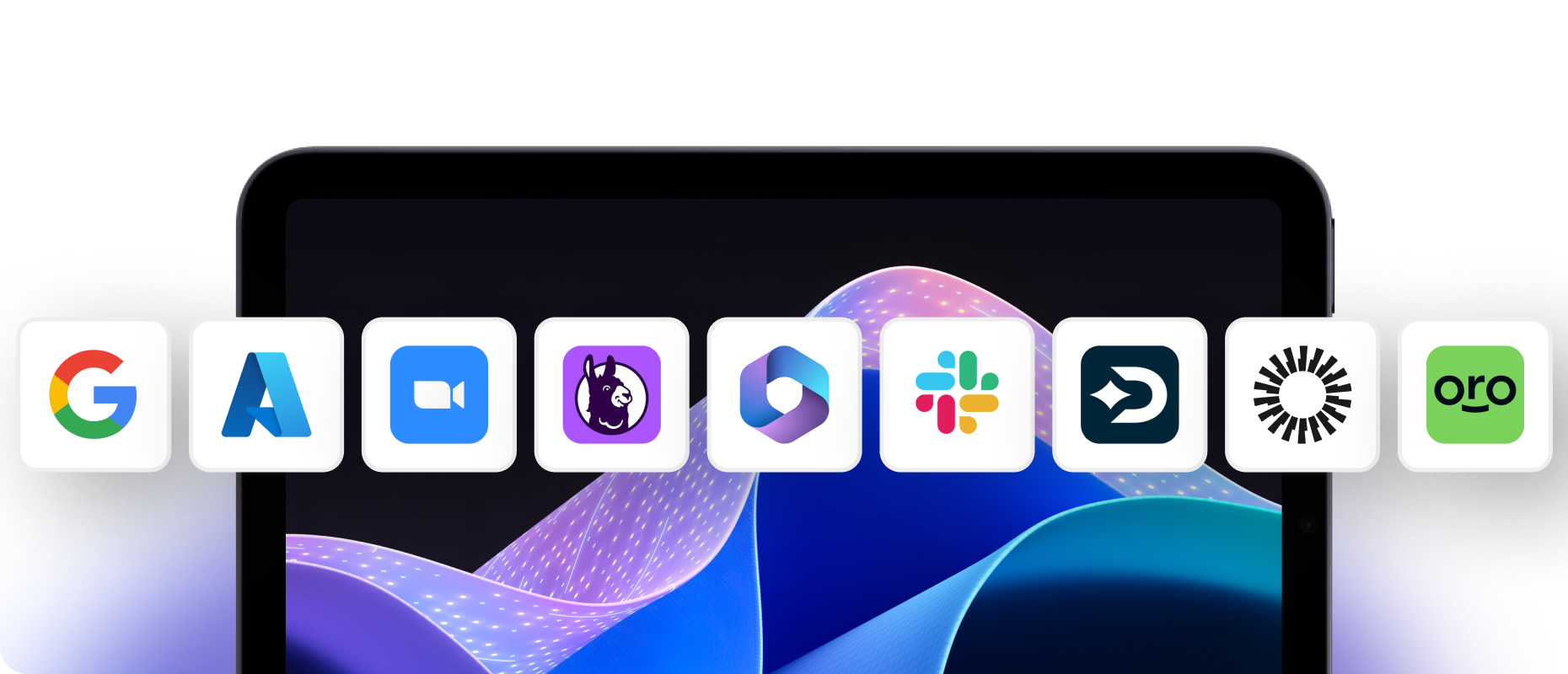
Swif.ai integrates with tools commonly used alongside MDM software to support identity, compliance, and operational workflows in education.
for SSO, MFA, and user-based policy enforcement
for automated evidence syncing
for access management and IT notifications
for employee and faculty lifecycle management

Limit who can manage devices, push policies, and access student data

Student privacy is non-negotiable. Swif.ai enforces data separation on BYOD devices and encrypts data in transit and at rest.

FERPA, CIPA, SOC 2, ISO 27001, HIPAA, and NIST frameworks supported with automated dashboards and evidence generation.
Mobile Device Management (MDM) for education is software that lets schools, districts, and universities centrally manage the laptops, tablets, phones, and desktops used by students and staff. MDM education platforms enable IT administrators to enroll devices remotely, push security policies such as password and encryption requirements, deploy and update applications, filter web content, and troubleshoot problems — all without physically touching each device. For institutions managing hundreds or thousands of endpoints across multiple campuses, MDM for education eliminates the manual effort that would otherwise make technology programs unsustainable.
Device management for schools is the practice of centrally enrolling, configuring, securing, and monitoring every laptop, tablet, and phone used by students, teachers, and staff across a school or district. Swif.ai provides device management for schools as part of its unified MDM platform — covering macOS, iOS, iPadOS, Windows, Linux, and Android from a single dashboard. Rather than managing each device type with a separate tool, school IT teams use one system to enforce policies, deploy apps, push updates, and troubleshoot issues across the entire fleet.
K-12 districts often manage thousands of devices across multiple schools, grade levels, and operating systems. Without an MDM solution for schools, IT teams must manually configure each device, physically collect devices to install updates, and operate with no visibility into whether devices meet security requirements. MDM solutions for schools centralize enrollment, app deployment, security enforcement, content distribution, and compliance reporting into a single console. As data privacy laws like FERPA and CIPA face stricter enforcement, MDM gives districts the tools to demonstrate compliance without adding headcount. Swif.ai's MDM solutions for education are designed for exactly this challenge — giving lean IT teams full control over large, mixed-OS device fleets.
Mobile device management for schools is a category of software that gives school IT administrators centralized control over every mobile device — including tablets, laptops, smartphones, and desktops — used across campuses. It typically includes device enrollment, policy enforcement, app distribution, web content filtering, and remote troubleshooting. Swif.ai delivers mobile device management for schools with full multi-OS support (Mac, iOS, Windows, Linux, Android), built-in compliance automation, Shadow IT monitoring, and an approved App Store — capabilities that go beyond what traditional MDM school solutions offer.
Yes. Swif.ai integrates directly with both Apple School Manager (ASM) and Apple Business Manager (ABM) to enable zero-touch enrollment for Macs, iPads, iPhones, and Apple TVs. When a school purchases new Apple devices, those devices can be automatically assigned to Swif.ai so they configure themselves on first boot — no manual setup needed. Swif.ai also supports Apple's Volume Purchase Program (VPP) for deploying apps in bulk, supervised device mode for full administrative control, and shared iPad configurations for multi-user environments like labs and classrooms.
Swif.ai includes a Self-Service Software Portal that functions as a curated, IT-approved App Store for your institution. IT administrators populate the portal with approved educational applications, learning tools, and productivity software. Teachers and students can browse and install these pre-approved apps on demand without filing an IT ticket or waiting for manual deployment. This reduces IT ticket volume, speeds up access to learning tools, and ensures that only vetted applications make it onto school-managed devices. The approved App Store is a key differentiator for schools evaluating MDM solutions for education.
Shadow IT refers to software, apps, and cloud services that students or staff use without IT's knowledge or approval. In a school context, this might include AI tools like ChatGPT, Copilot, or Gemini; unauthorized cloud storage services; social media apps; or browser extensions that collect data. Shadow IT creates data privacy risk because these unapproved tools may process or store student information in ways that violate FERPA or institutional policy. Swif.ai detects Shadow IT across devices, browsers, and SSO logs — giving administrators visibility into what is actually running on the network and the ability to block or restrict risky applications in real time. For MDM school administrators, Shadow IT monitoring is no longer optional.
Swif.ai goes beyond detection. Once unauthorized applications or services are identified through the Swif Browser Extension and device-level monitoring, administrators can enforce blocklists that prevent those applications from running. Users who attempt to access a blocked app are guided toward an approved alternative from the Self-Service Software Portal. All Shadow IT activity feeds directly into Swif.ai's compliance dashboards, providing auditable evidence that the institution is actively governing application usage across its endpoints. This makes education device management more secure without adding manual work for IT staff.
Yes. Swif.ai lets administrators create app allowlists and blocklists to control exactly which applications students can access. Web content filtering restricts browsing to approved sites and categories — supporting CIPA compliance by blocking access to harmful or inappropriate content. These restrictions can be applied at the device, group, or user level using Smart Groups, meaning schools can set different policies for elementary students versus high schoolers, or for class time versus after-school hours. This level of granular control is what sets Swif.ai apart from basic MDM solutions for schools.
Swif.ai supports shared device mode, which allows multiple users to sign into the same device with personalized sessions. When a student logs in, their profile, apps, and settings load. When they log out, session data is cleared so the next user starts fresh. This is essential for computer labs, library workstations, and rotating classroom tablet programs where the same physical device is used by dozens of students throughout the day. It reduces hardware costs by maximizing the utility of each device while keeping device management for schools simple and automated.
Yes. Administrators can create and apply exam-specific device profiles that lock down devices during testing periods. This can include disabling cameras, restricting app access to only the testing application, blocking internet browsing, and preventing copy-paste functionality. These profiles can be applied and removed instantly across an entire group of devices using Smart Groups, making test prep and post-test device restoration fast and painless.
Yes. Swif.ai supports BYOD enrollment that separates school-managed data and policies from personal content on student or staff devices. On BYOD devices, Swif.ai enforces security policies only within the work profile — encryption, password requirements, and managed app installations — without accessing personal photos, messages, or non-school apps. This gives schools the security they need while respecting student and teacher privacy. BYOD support is a standard part of Swif.ai's MDM for education platform.
Swif.ai enforces the security controls that underpin regulatory compliance. For FERPA, Swif.ai protects student records by ensuring devices are encrypted, access is restricted to authorized users, and data cannot be exfiltrated through unapproved applications — with Shadow IT monitoring providing an additional layer of governance. For CIPA, web content filtering blocks access to harmful or inappropriate material on school-managed devices. Compliance dashboards map these controls to specific frameworks and generate evidence automatically. Integrations with compliance platforms like Vanta and Drata make audit preparation faster by syncing device posture data directly. Compliance automation is built into every tier of Swif.ai's MDM solutions for education.
Swif.ai offers a free 14-day trial that gives schools full access to the platform — including device enrollment, policy enforcement, compliance dashboards, Shadow IT monitoring, the Self-Service Software Portal, and remote support tools. This lets school IT teams evaluate the complete MDM for education experience before committing. There is no credit card required to start. While some MDM vendors offer permanently free tiers, these typically lack critical features like compliance automation, Shadow IT detection, multi-OS support, and remote troubleshooting — the exact capabilities schools need most. Swif.ai's free trial includes everything, so you can test real device management for schools at full capability.
Most institutions are fully operational within hours, not weeks. Swif.ai's silent installers can be pushed to devices without any user intervention. Zero-touch enrollment through Apple Business Manager, Apple School Manager, and Windows Autopilot means new devices configure themselves automatically on first boot. If you are migrating from another MDM, Swif.ai's migration tools handle the transition without requiring manual reinstalls or disruptions to student or teacher workflows. Schools with existing identity providers (Okta, Azure AD, Google Workspace) can integrate immediately so user accounts and device policies stay in sync from day one. Fast deployment is one of the reasons schools choose Swif.ai over legacy MDM education platforms.
Yes. Swif.ai includes built-in Remote Desktop and Live Terminal capabilities. IT administrators can view a device's screen, share files, and run command-line diagnostics without being physically present. This is especially valuable for schools with multiple campuses, remote learning programs, or lean IT teams that cannot be everywhere at once. An organization-wide kill switch can disable remote terminal access when privacy is required. No separate remote access tool is needed — remote support is part of the core MDM school platform.
Apple-focused MDMs like Jamf and Mosyle are strong on macOS and iOS but leave gaps when schools also use Windows, Linux, or Android devices. Scalefusion and Miradore cover more platforms but lack built-in compliance automation, Shadow IT detection, and an approved App Store. Swif.ai provides the same depth of Apple management — ABM/ASM integration, VPP, FileVault, supervised mode — while also delivering full-featured management for Windows (Autopilot, BitLocker), Linux (all major distributions), and Android (Enterprise framework). Schools get one console, one policy engine, one vendor, plus compliance dashboards, Shadow IT enforcement, and a Self-Service Software Portal that competitors charge extra for or don't offer at all. For institutions evaluating MDM solutions for schools, Swif.ai is the most complete single-platform option available.
Swif.ai enables instant remote lock or remote wipe of any managed device. When a device is reported lost, IT can lock it immediately and display a custom message with recovery instructions. If the device cannot be recovered, a full remote wipe erases all school data — including apps, files, credentials, and configurations. Encryption enforcement (FileVault on Mac, BitLocker on Windows, LUKS on Linux) ensures data on the device is unreadable even if someone attempts to access the drive directly. Lost device protection is a core part of mobile device management for schools.
Yes. Swif.ai automates OS patch management and application updates across all supported platforms. Administrators can schedule updates during non-class hours to avoid mid-lesson disruptions, enforce minimum OS version requirements, and monitor patch compliance in real time. This keeps devices secure against known vulnerabilities without requiring IT staff to manually push updates to each machine.
Swif.ai eliminates the hidden costs that make legacy MDMs expensive — long implementation timelines, professional services fees, and the need for separate tools for different operating systems. By consolidating device management, compliance automation, Shadow IT monitoring, the Self-Service Software Portal, and remote support into one platform, schools reduce both licensing costs and the IT labor hours required to manage their device fleet. For schools looking for a free MDM for schools to evaluate, Swif.ai's 14-day free trial provides full-feature access at no cost. Contact Swif.ai for education pricing tailored to your institution's size and needs.
Page last updated: April 7, 2026


“Swif.ai has effectively solved our software deployment and unified device management challenges. Their customer support is equally impressive — issues are resolved quickly and efficiently.”
.png)
Hanson Han
Head of Platform Engineering
If you are looking for MDM for education, MDM solutions for schools, mobile device management for schools, or a scalable MDM platform for K-12 districts and universities, Swif.ai provides a single system built to manage every device, enforce every policy, and automate compliance — so your IT team can focus on supporting learning, not chasing tickets.






.png)